
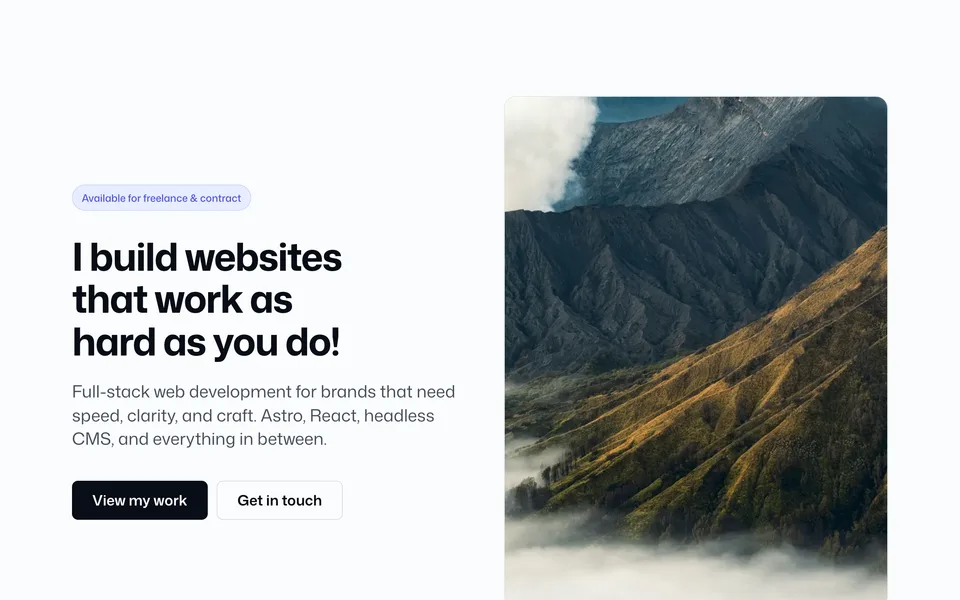
File: src/blocks/hero/Hero19.astro
Inset rounded hero with a solid background (no slider). Frame never goes flush to the viewport — even width="full" keeps a gutter.
Config (blocks.ts → hero19)
hero19: {
    width: "full",
    contentWidth: "wide",
    eyebrow: "Available for freelance & contract",
    heading: "I build websites that work as hard as you do!",
    subheading:
      "Full-stack web development for brands that need speed, clarity, and craft. Astro, React, headless CMS, and everything in between.",
    primaryCta: "View my work",
    primaryCtaUrl: "/work/",
    secondaryCta: "Get in touch",
    secondaryCtaUrl: "/contact/",
    backgroundColor: "oklch(94% 0.012 260)",
    contentTone: "dark",
    height: "md",
    textPlacement: "center",
    textAlign: "left",
    radius: "2xl",
    borderBottom: false,
    borderThickness: "sm",
    borderColor: "soft",
  },
Add to a page
---
import Hero19 from "@/blocks/hero/Hero19.astro";
---

<Hero19 />
Props override matching keys from config:
<Hero19
  width="wide"
  backgroundColor="var(--color-brand)"
  contentTone="light"
  height="lg"
  textAlign="center"
/>
Props
| Prop | Config key | Type / values | Default / notes |
|---|---|---|---|
width |
hero19.width |
narrow | standard | wide | full |
Frame max-width; full still keeps viewport gutter |
contentWidth |
hero19.contentWidth |
standard | narrow | wide |
Inner copy wrapper max-width |
eyebrow |
hero19.eyebrow |
string |
— |
heading |
hero19.heading |
string |
— |
subheading |
hero19.subheading |
string |
— |
primaryCta |
hero19.primaryCta |
string |
— |
primaryCtaUrl |
hero19.primaryCtaUrl |
string |
— |
secondaryCta |
hero19.secondaryCta |
string |
— |
secondaryCtaUrl |
hero19.secondaryCtaUrl |
string |
— |
backgroundColor |
hero19.backgroundColor |
CSS color string | Prefer a fixed color (e.g. oklch(22% 0.025 260)) or brand (var(--color-brand)). Pair with contentTone for readable copy |
contentTone |
hero19.contentTone |
light | dark |
light = light text on dark fill; dark = dark text on light fill |
height |
hero19.height |
auto | sm | md | lg | full |
Viewport min-height of the frame |
textPlacement |
hero19.textPlacement |
top | center | bottom |
Vertical placement of copy |
textAlign |
hero19.textAlign |
left | center | right |
Horizontal justification of copy + CTAs |
radius |
hero19.radius |
none | md | lg | xl | 2xl |
Frame border radius |
borderBottom |
hero19.borderBottom |
boolean |
Show a bottom border under the section |
borderThickness |
hero19.borderThickness |
sm (1px) | md (2px) | lg (4px) |
— |
borderColor |
hero19.borderColor |
soft | medium | hard |
— |
Notes: Pass real CSS colors / theme vars for backgroundColor — not Tailwind class names. See Images for theme tokens used as var(--color-*).